
Velora changelog
Changelog
The latest Velora releases and improvements.
By continuing, you agree to our T&C and Privacy Policy.
Introducing Bookmarks: save, highlight, favorite, and annotate verses
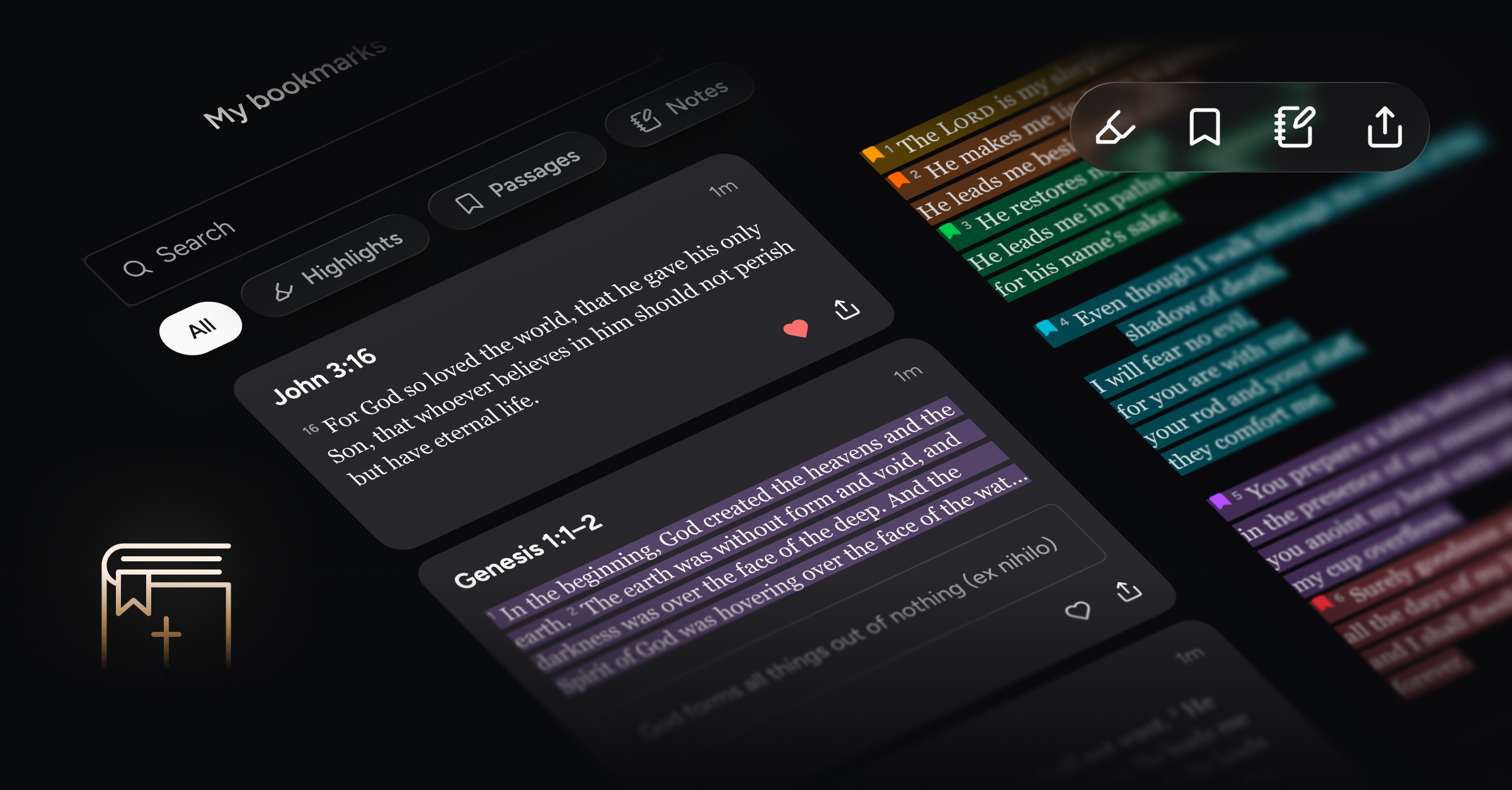
Keep meaningful passages close at hand and your own reflections alongside Scripture. With Bookmarks, Velora gives you new ways to return to what you’re learning in church and in your daily reading.
Like a cherished Bible filled with ribbons, colorful highlights, and handwritten thoughts, Velora becomes more personal the more you use it—capturing your journey of faith over time. We designed Bookmarks as an intuitive way to save passages, add colors, mark favorites, and write your own reflections.
No matter which Bible translation you prefer, your bookmarks remain connected to the same passage. Move freely between versions while keeping your personalized marks and reflections in place.
What’s new
Bookmarks
Save and favorite passages
Bookmark any verse or passage so you can come back to it later. Tap the heart on a bookmark to add it to your favorites.
You can browse your saved bookmarks from the More screen. You’ll also see them represented in the Bible reader with inline icons—simply tap on an icon to open it.
Highlight passages
Highlight any saved passage using one of six elegant colors. Because each highlight is a bookmark, it’s easy to find again later. Just go to Bookmarks on the More screen and filter by Highlights.
Add your own notes
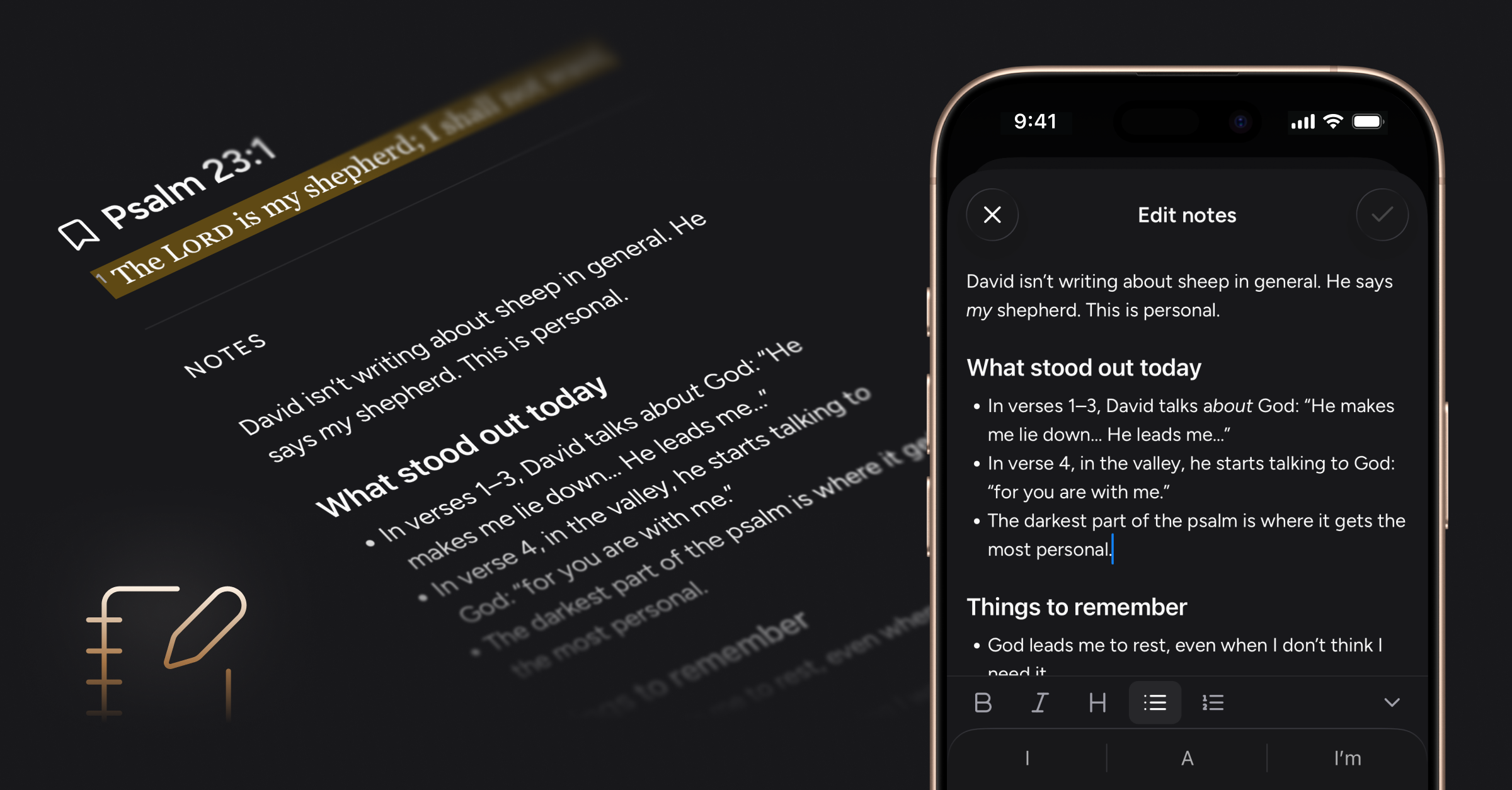
Save your own thoughts, questions, and prayers alongside the Scripture that inspired them. Add a note to any bookmark, with simple formatting tools to help keep your reflections organized.
Words of Christ in red
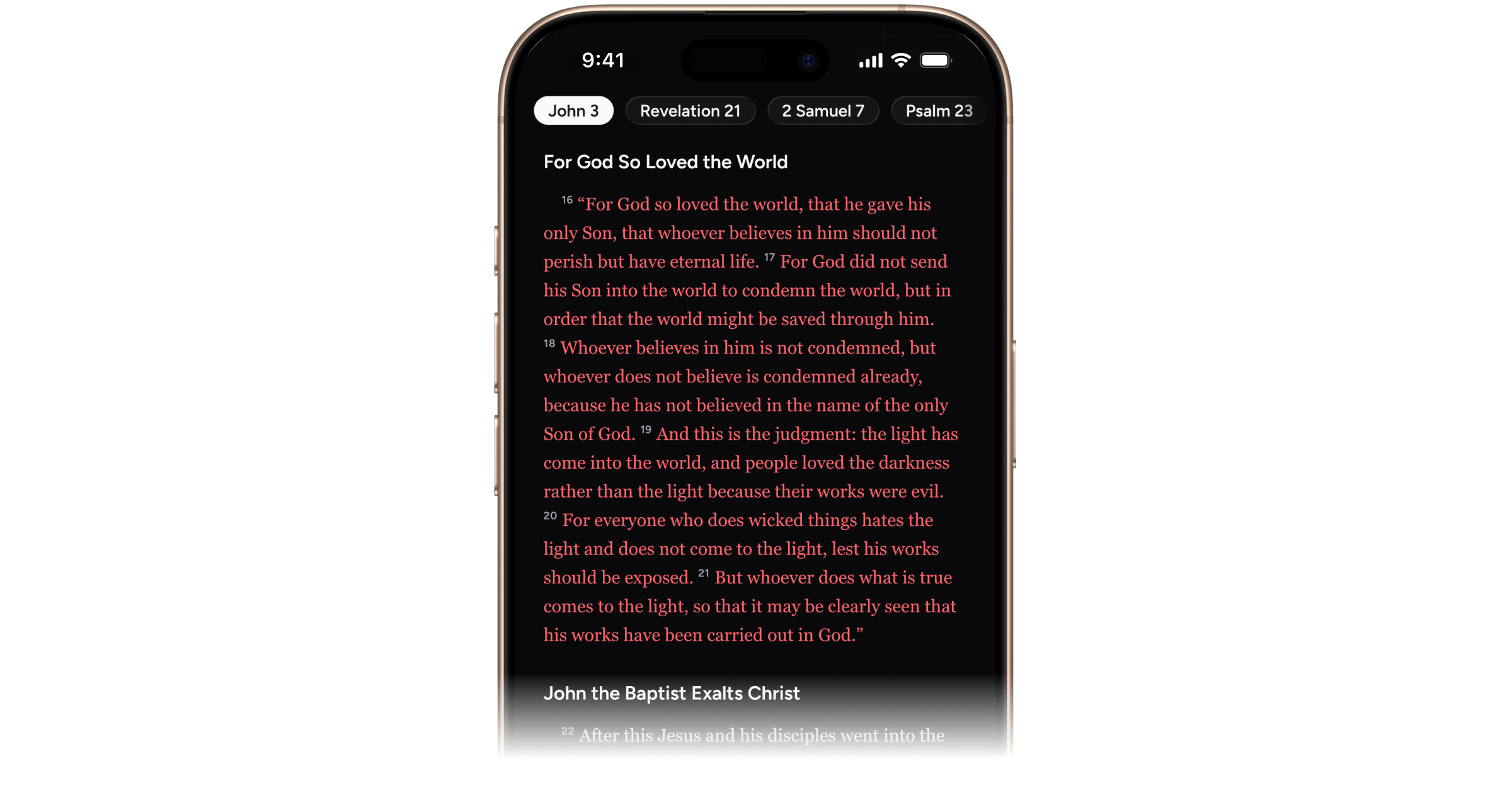
You can now show the words of Christ in red in translations that support it. Turn this on or off anytime from the text settings menu in the Bible reader.
Swipe to change chapters
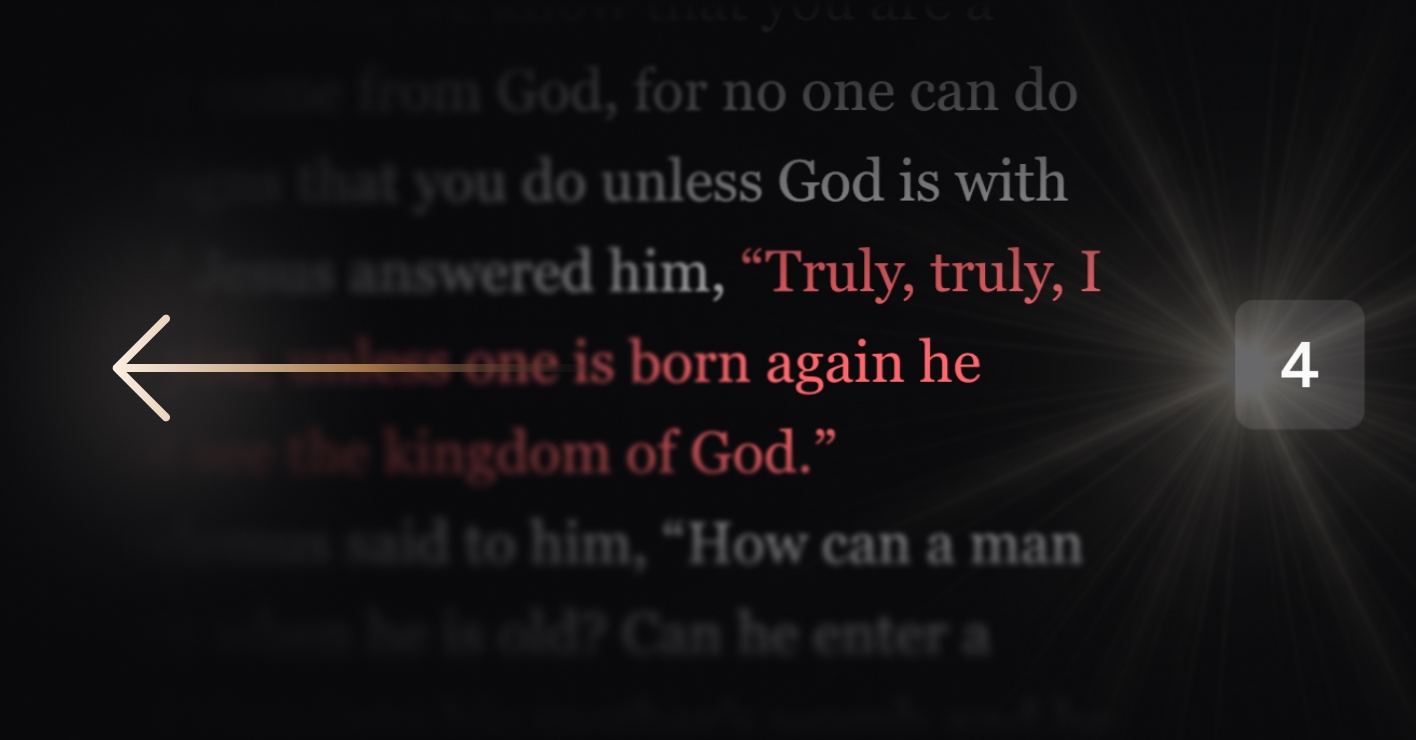
Move between chapters with a simple swipe in the Bible reader. Swipe left to go to the next chapter, or right to go back to the previous one.
More ways to find and share a passage
Verse selection: Turn on verse selection to navigate directly to a specific verse when opening a new passage
Alphabetical book order: Optionally sort Bible books alphabetically in the passage picker.
Copy and share Scripture: Select verses in the Bible reader to copy or share them.
Select and mention text in Ask Velora: Select text in Ask Velora AI responses to copy or add that portion to the chat.
Improvements and bug fixes
Bible reader performance: Faster chapter loading, smoother scrolling, and more responsive tab switching.
Fixed an occasional display issue with Relay passage illumination
Miscellaneous UI improvements
Relay controls and performance enhancements
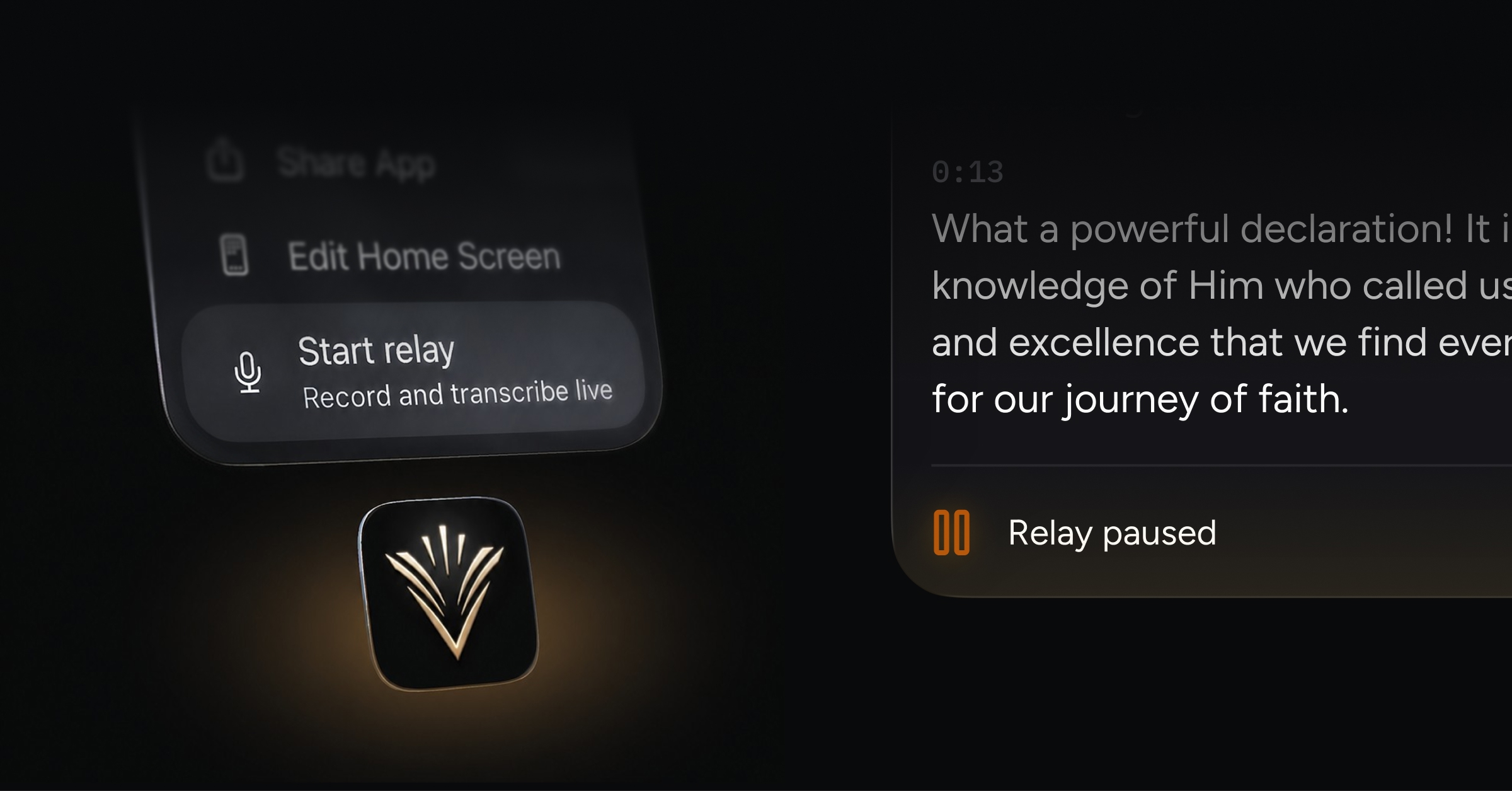
Start a relay without even opening the app; pause a relay and resume again as-needed during your church service. Broader performance improvements throughout Velora also help keep your attention on the sermon rather than the app.
What’s new
Quick action controls for starting and stopping Relay
Because Velora is built for use during worship, we strive to make capturing and following a sermon as effortless as possible. You can now start a relay directly from the Velora icon on your phone’s Home Screen.
For iOS users:
Press and hold the Velora app icon to start and stop a relay.
Save “start a relay” as a Shortcut. You can even schedule an automation in the Shortcuts app to prompt you to start a relay during your weekly church services.
Say, “Hey Siri, start a Velora relay.”
For Android users:
Press and hold the Velora app icon to start and stop a relay.
Start or stop a Relay from an Android Quick Settings tile.
Pause and resume Relay
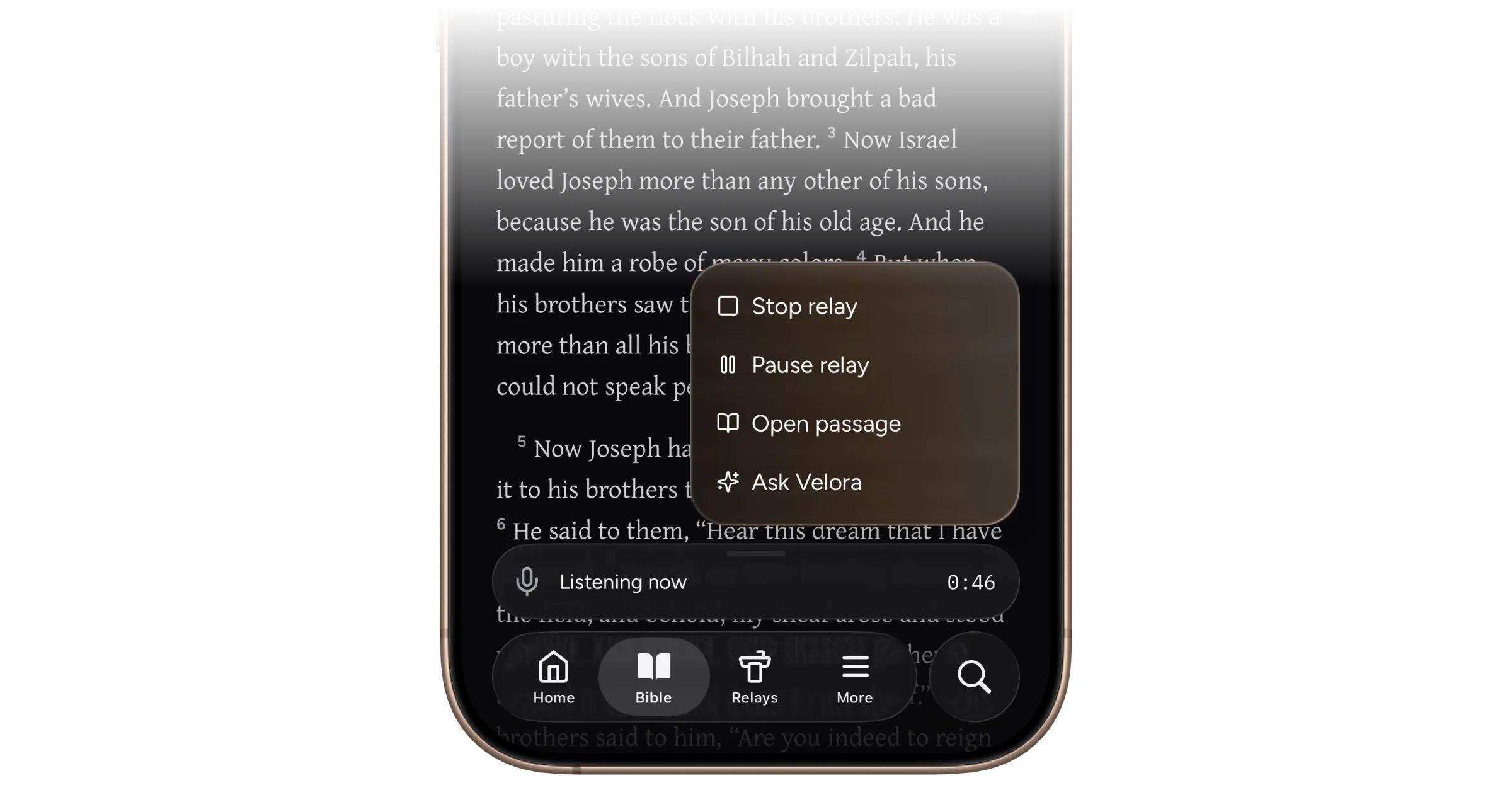
Need to pause a sermon relay? Tap the gold Honey Glass menu and choose “Pause relay,” or tap the pulsing microphone icon. Tap either control again when you’re ready to continue.
With the relay sheet open, tap the menu in the top-right corner to access more options, including the ability to delete the relay without stopping it first.
Enhanced Ask Velora
A range of enhancements makes the Ask Velora chat faster and more seamless to use. Here are a few highlights:
Reopening Ask Velora returns you to your current conversation and preserves any unsent prompt you were drafting.
Dismissing the modal mid-response no longer interrupts the response.
Restored chats open directly, without a flash of the welcome screen first.
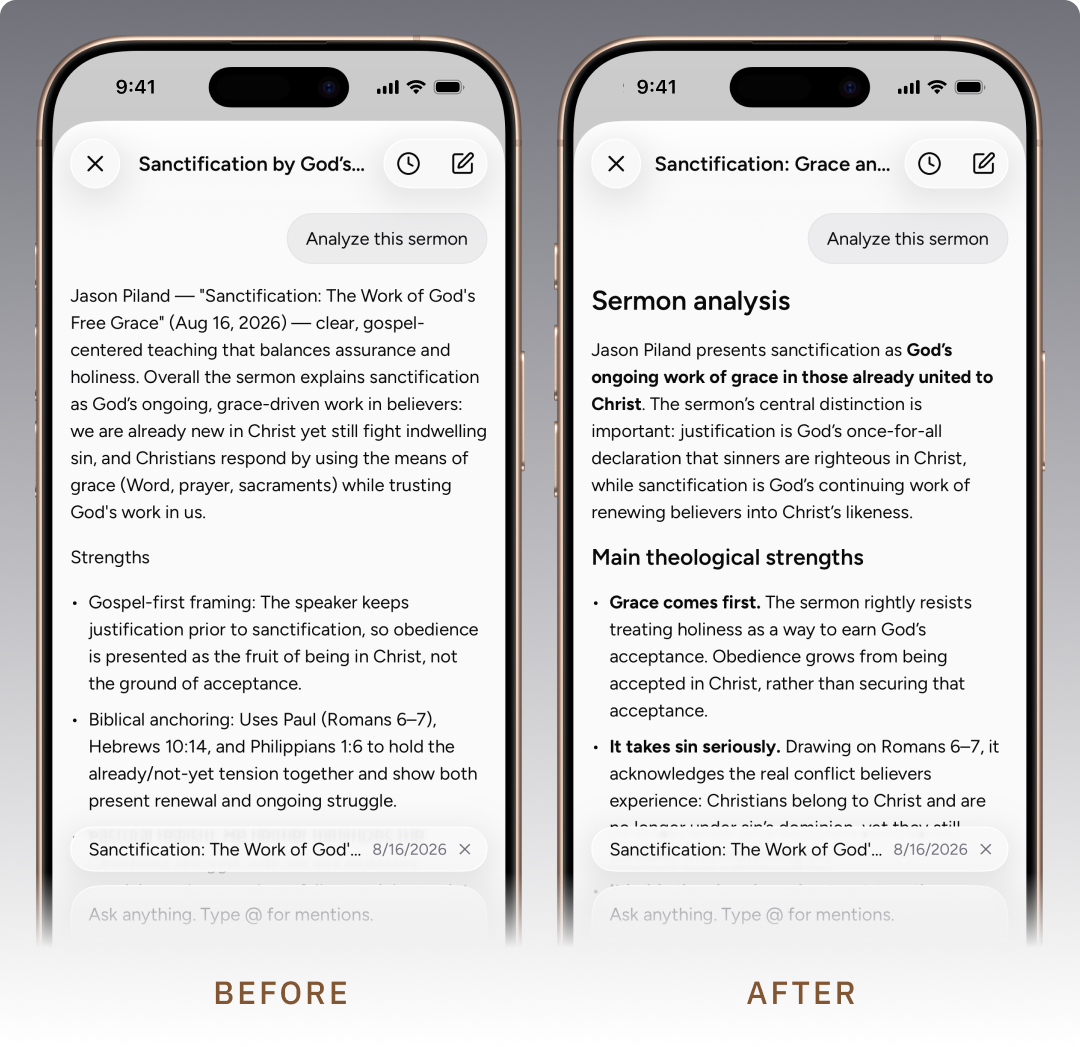
We’ve also made under-the-hood improvements that help Ask Velora deliver smarter, more polished responses. See the example below:
Introducing a Give page for one-time and recurring donations
As a mission-focused product, Velora has inspired many generous users to ask how they can contribute beyond their subscription. We’re deeply thankful for a community that wants to support our work, and we’ve created a dedicated Give page on our website to make that easier.
Improvements and bug fixes
Sync engine optimization significantly speeds up relay loading, particularly for libraries with many relays
Performance improvements to Bible tabs
Various fixes resolving issues that could sometimes disrupt Relay post-processing
Relay titles now generate reliably instead of occasionally remaining “Untitled”
Relay engine improvements to further reduce inaccurate references to Numbers and Song of Solomon
Opening Edit Relay during a live session no longer collapses the session sheet
New admin controls to improve customer support around account-based issues
Misc. minor UI fixes
Unlimited Relay

Velora Premium now includes unlimited monthly relays.
Relay is Velora's live sermon companion: start a relay as your pastor begins speaking, and Velora transcribes the message in real time, identifies Scripture passages as they are referenced, and recommends related passages. When the message ends, you get a full transcript, a timeline of every reference, and an AI-generated summary
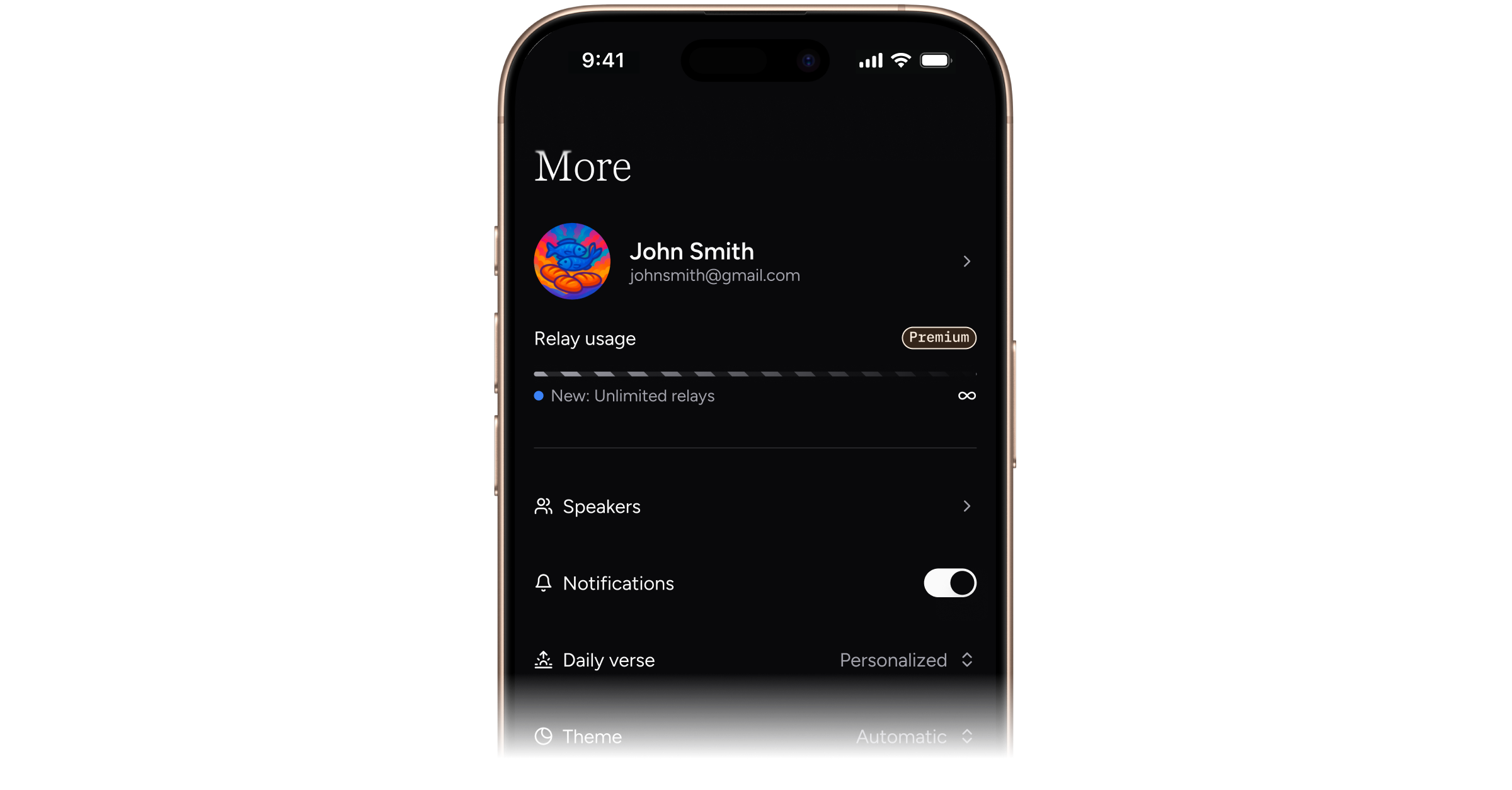
Previously, the More screen displayed a relay usage meter for the current month. Now you can capture as many sermons, studies, and lectures as you need. The more you relay, the more context Velora has to help you reflect on and apply what you’re learning to your everyday life.
Ask Velora AI chat for pre-release
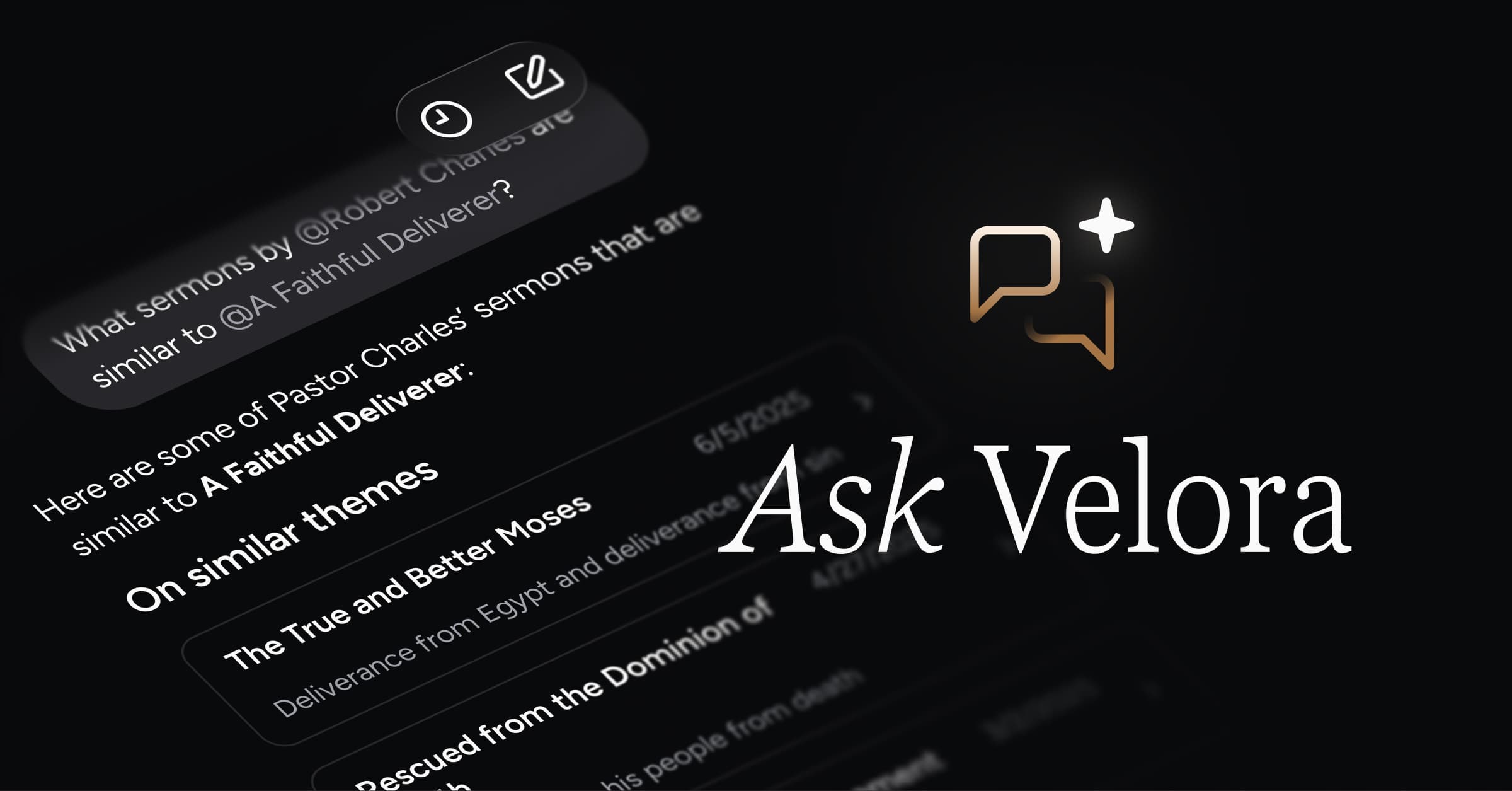
Velora is now your all‑in‑one personal sermon companion. While Relay helps you follow along with and capture the messages you hear, Ask Velora opens up a completely new way to engage with them. Ask Velora is a fully context‑enriched AI conversation experience, tuned specifically for reflecting on sermons and creating sermon‑based resources.
What’s new
These days, it can feel like AI chatbots are being tacked onto every product. So what makes Ask Velora special? Here are a few of the standout benefits.
Full Relay context and mentions
Context is key. Unlike generic AI, Velora automatically has access to the full library of sermons and lessons you’ve relayed—and you’re not limited to chatting about just one at a time. You can ask about broad themes in what you’ve been learning in church, even mentioning a specific date range. You can also get more specific and mention one or more sermons to chat about.
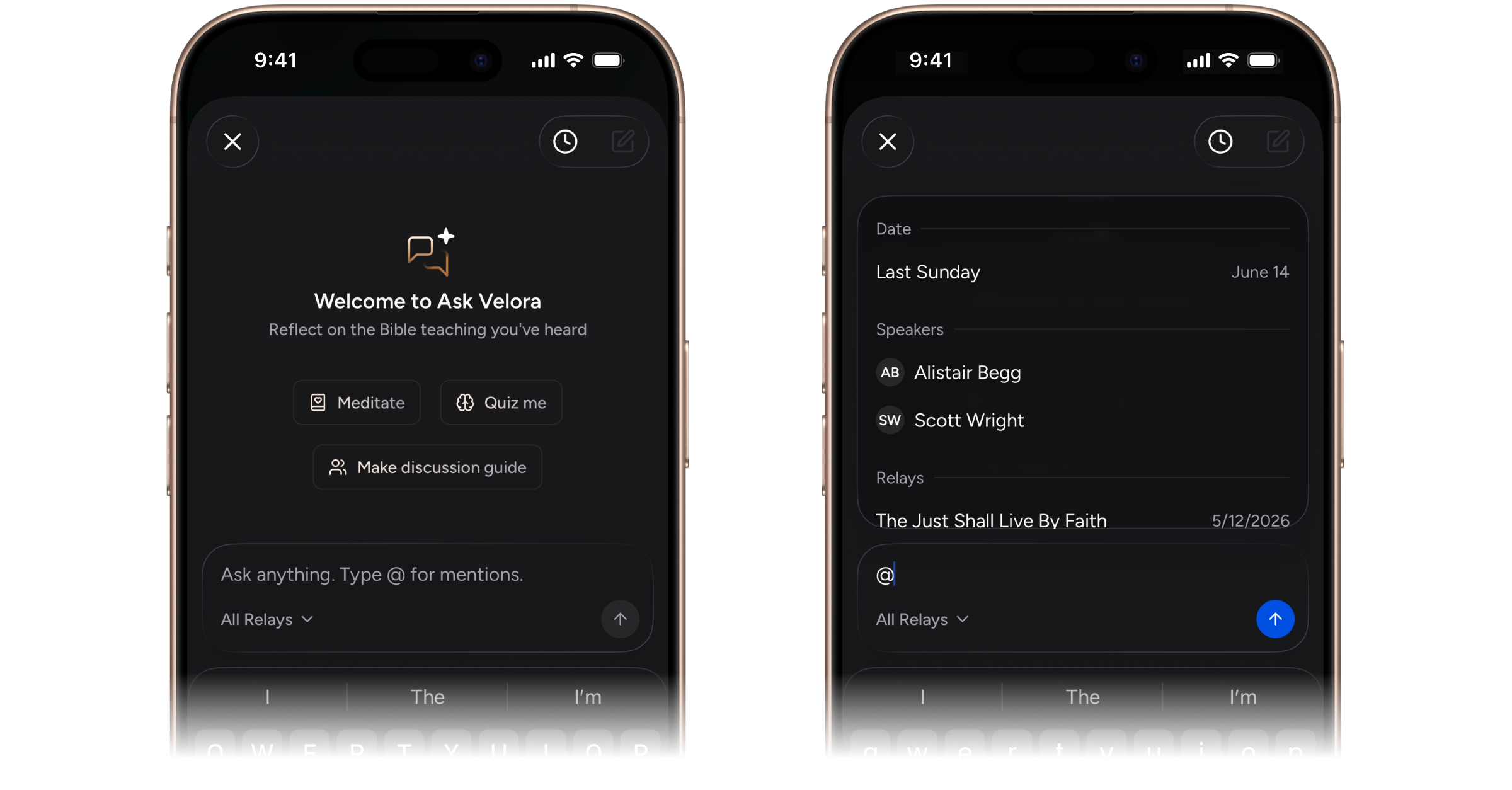
Here are the different ways you can refine Velora’s context by using “@” mentions:
By date / date range · The mention menu initially shows “Last Sunday” at the top. Start typing “Last” to reveal other timeframes like last week, month, or year, or begin entering any specific date or date range to filter with precision.
By speaker · Limit the chat’s context to relays by one or more particular speaker.
By relay · Focus the chat on one or more specific relay. When you start a new conversation from a relay, that sermon is automatically included in the context.
We’ve taken the time to build a robust memory and context retrieval system because the subject matter is sacred, and reflecting on the preached Word deserves a deeply considered, high-quality experience.
Tuned for discipleship, not dependency
Ask Velora is built on a prompt architecture specifically for Christian discipleship—not to be a source of generative wisdom, but a thoughtful companion to help you internalize the biblical teaching of your own pastor and church.
Recent research from Barna Group in partnership with Gloo found that 1 in 3 Americans now trust AI spiritual guidance as much as a pastor's. We’re concerned about that, and it’s why Ask Velora is designed to guide you in the opposite direction: when you ask it something, it doesn’t generate new spiritual insight from the internet. Instead, it helps you go deeper into what your own pastor already preached, as captured in your relays.
Instead of asking Velora, “What do you think about x?”, try asking, “How has my pastor taught on x?” That kind of question will give you the richest, most helpful experience with Ask Velora.
Tappable Relays and follow-up buttons
Individual relays appear as tappable cards within the conversation, making it simple to open each message and read it in full.
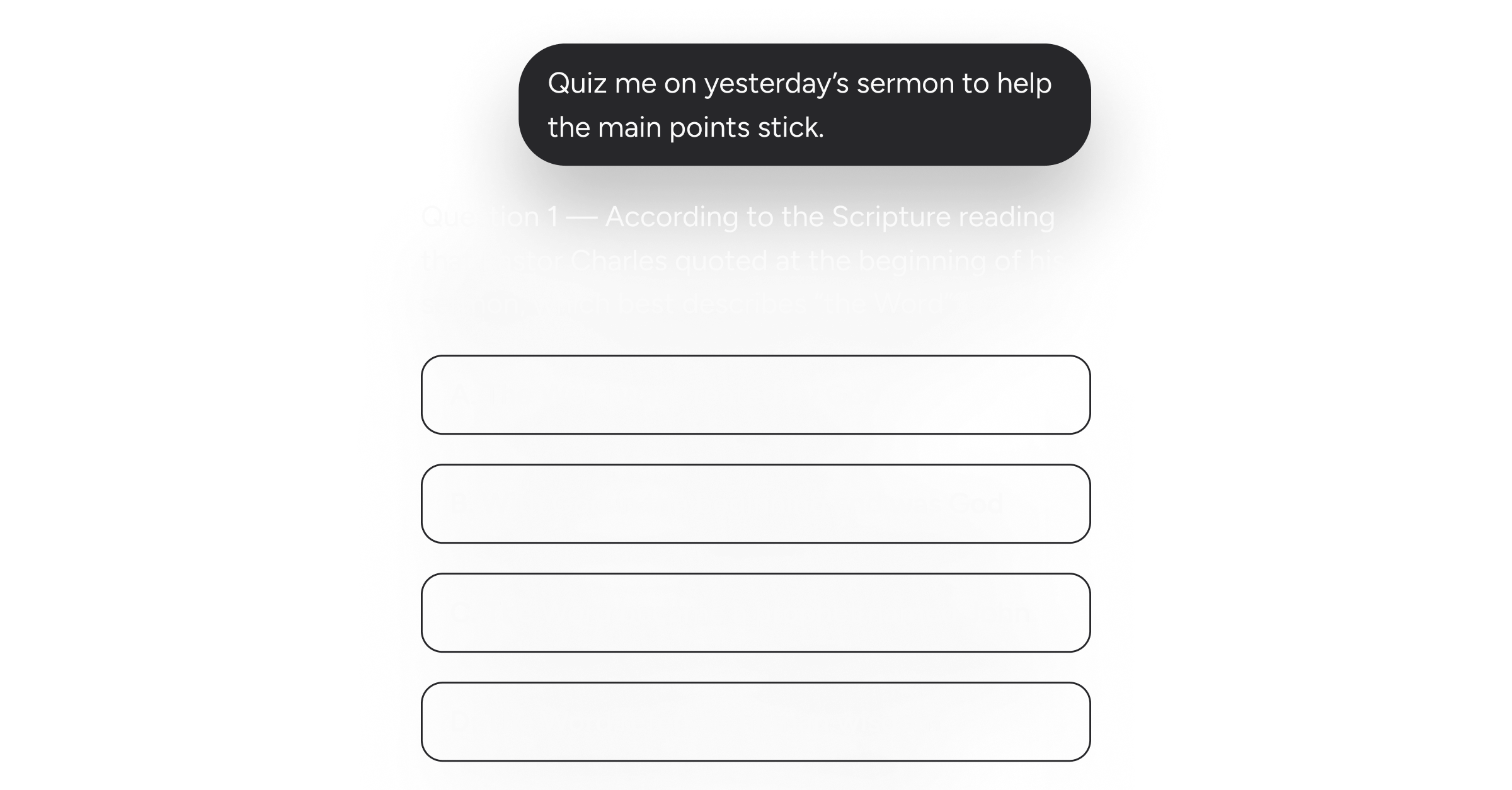
Additionally, we built the feature we’ve always wished other AI chats included: generative follow‑up buttons. Whenever Velora suggests a set of next steps or presents multiple-choice options in a quiz, it shows them as tappable buttons right in the conversation. Tap once, and the dialogue flows forward seamlessly.
Dynamic Bible text, inline
Just like in relay transcripts, when Velora quotes Scripture in its responses, it pulls the actual text from the Bible API and renders it as a proper Scripture quote in your preferred translation—with tappable verse numbers that open directly in your Bible reader.
Thoughtful haptics
Your phone gives a soft, subtle vibration the moment your message submits and Velora begins thinking—then a distinct one when the response finishes streaming. These small details make the whole interaction feel native and satisfying.
Copy responses
A button at the end of every reply lets you copy the markdown and paste it into any editor or document you’d like. This comes in handy when you’re creating discussion guides or other sermon-based material that you plan to revise or share with others.
Future releases will introduce more options for exporting and sharing Ask Velora content, as well as creating distinct artifacts.
Improvements and bug fixes
Fixed an issue causing users to occasionally get signed out
Added new back-office capabilities for addressing user account-related issues
Misc. UI polish
Personalized daily verse and search for pre-release
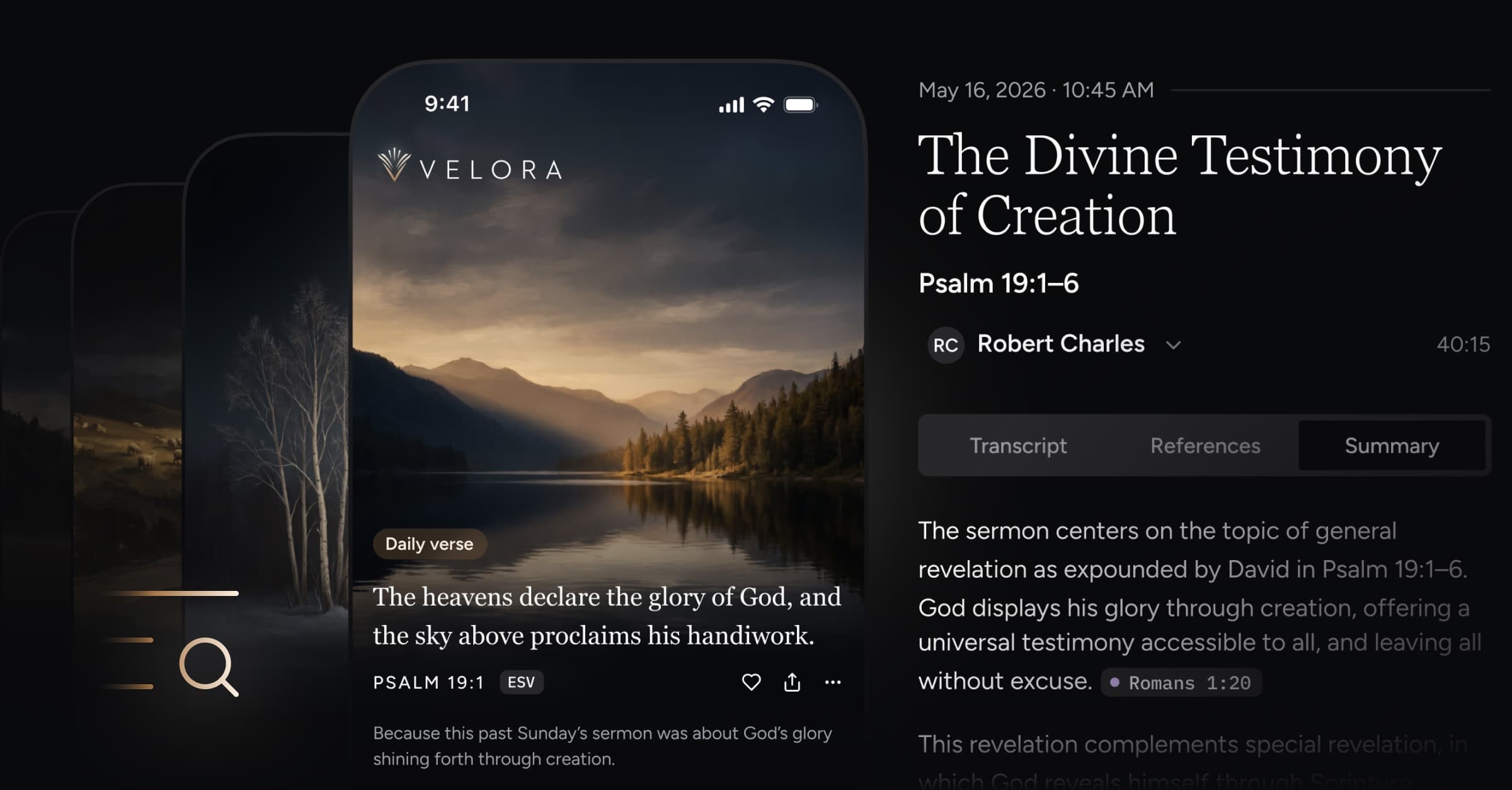
Start each day with a verse from God’s Word, personalized to what you’re learning in church. Plus, a powerful new search feature allows you to quickly find Scripture and sermons.
What’s new
Personalized daily verse
Daily verses on your home screen are intelligently selected based on your recent Relays—the sermons and other Bible-teaching lectures that you’ve captured in Velora.
Velora also pairs your personalized verse with unique artwork based on the theme and mood of the text—all to help extend Sunday’s teaching into your whole week.

Search
Velora does more than just record sermons—it understands them. Thus, you can search things like “sermons that make you think” or “comforting messages” and find exactly what your looking for—even when those exact words aren’t in the transcript.
You can also search the Bible. Filter results by Relays or Bible passages, or view them together.
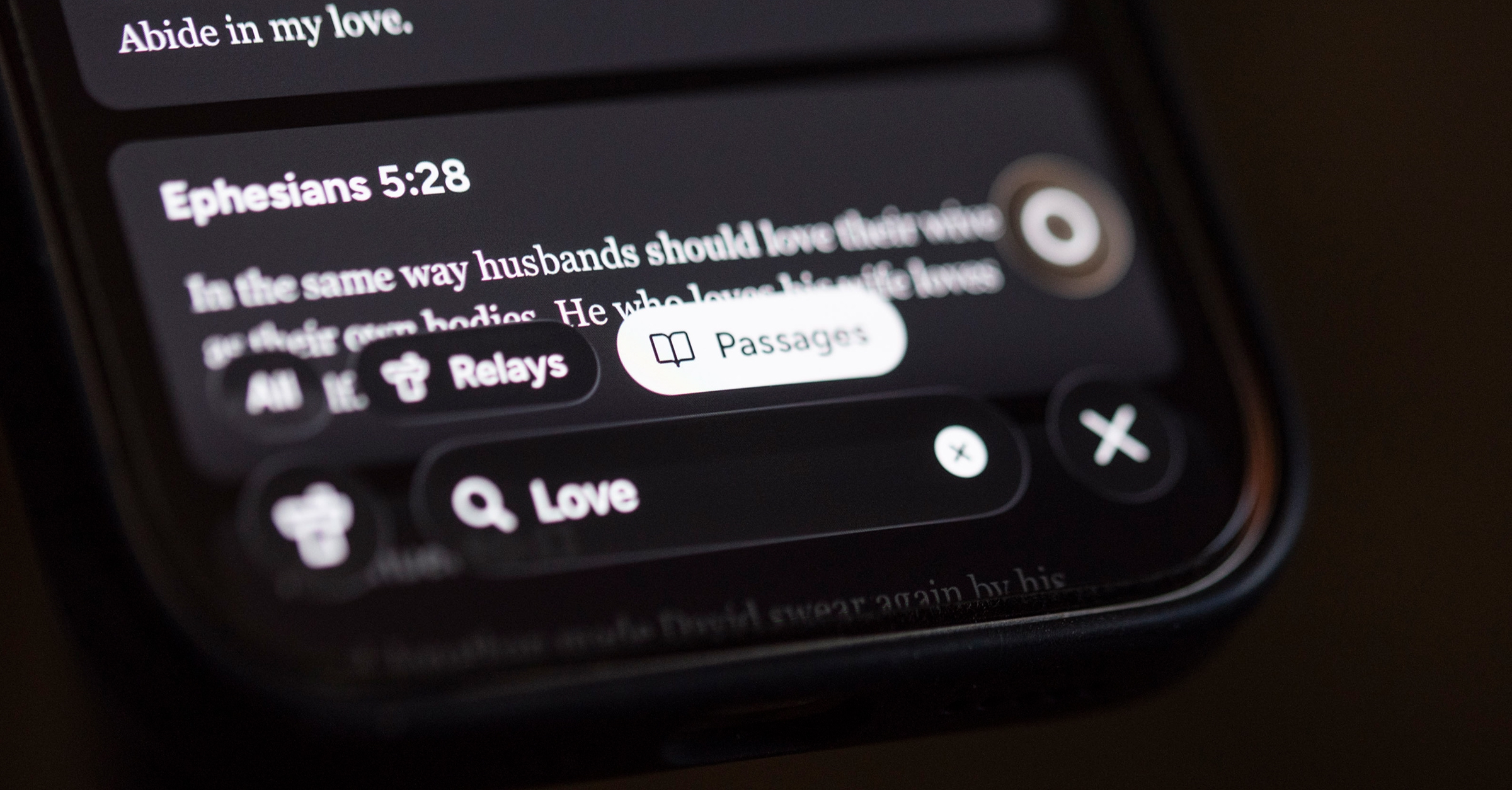
Search the Bible by:
Keyword
Passage reference
Search past Relays by:
Topic
Title
Speaker
Key passage
Home screen and daily verse for pre-release
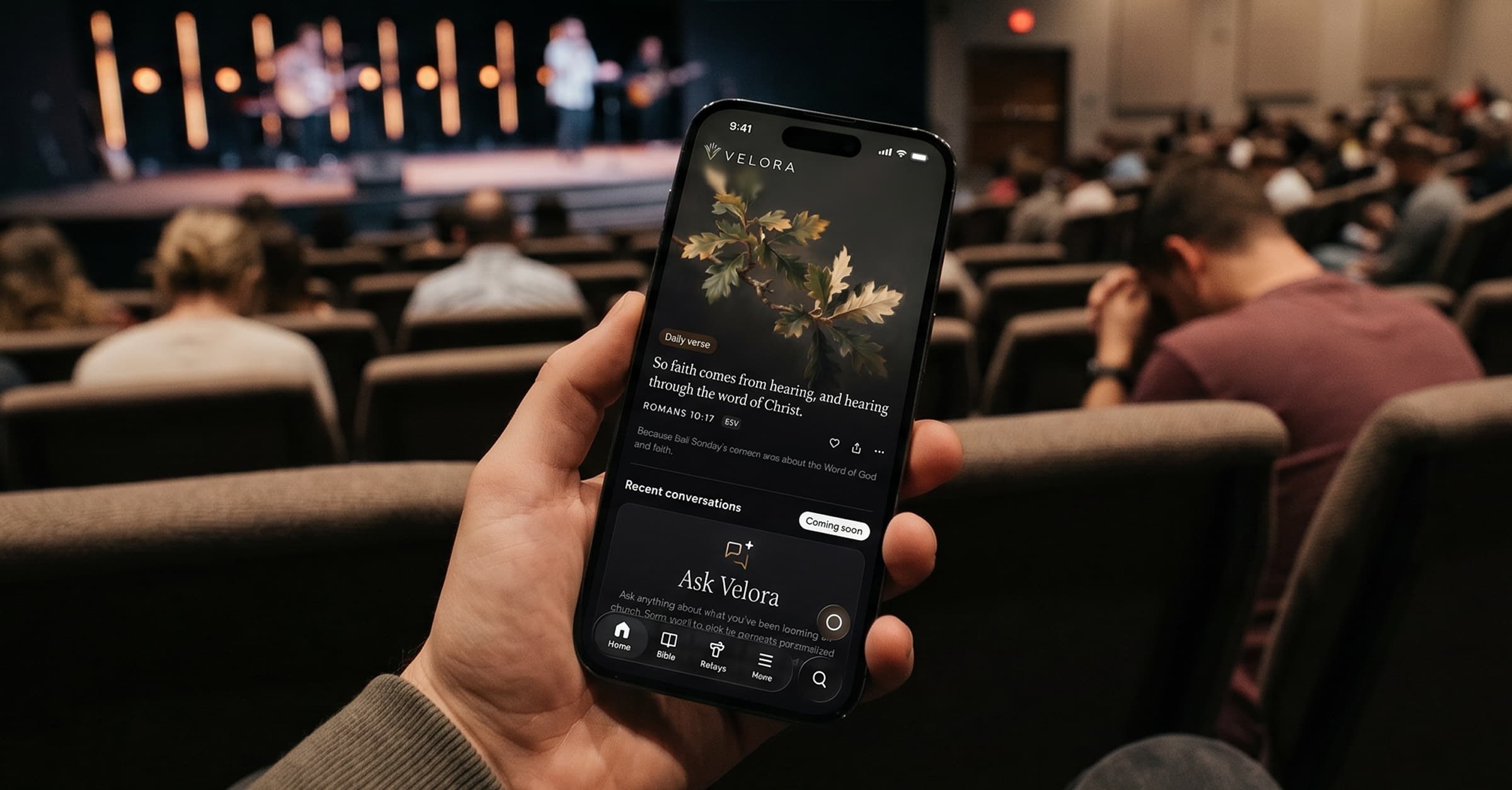
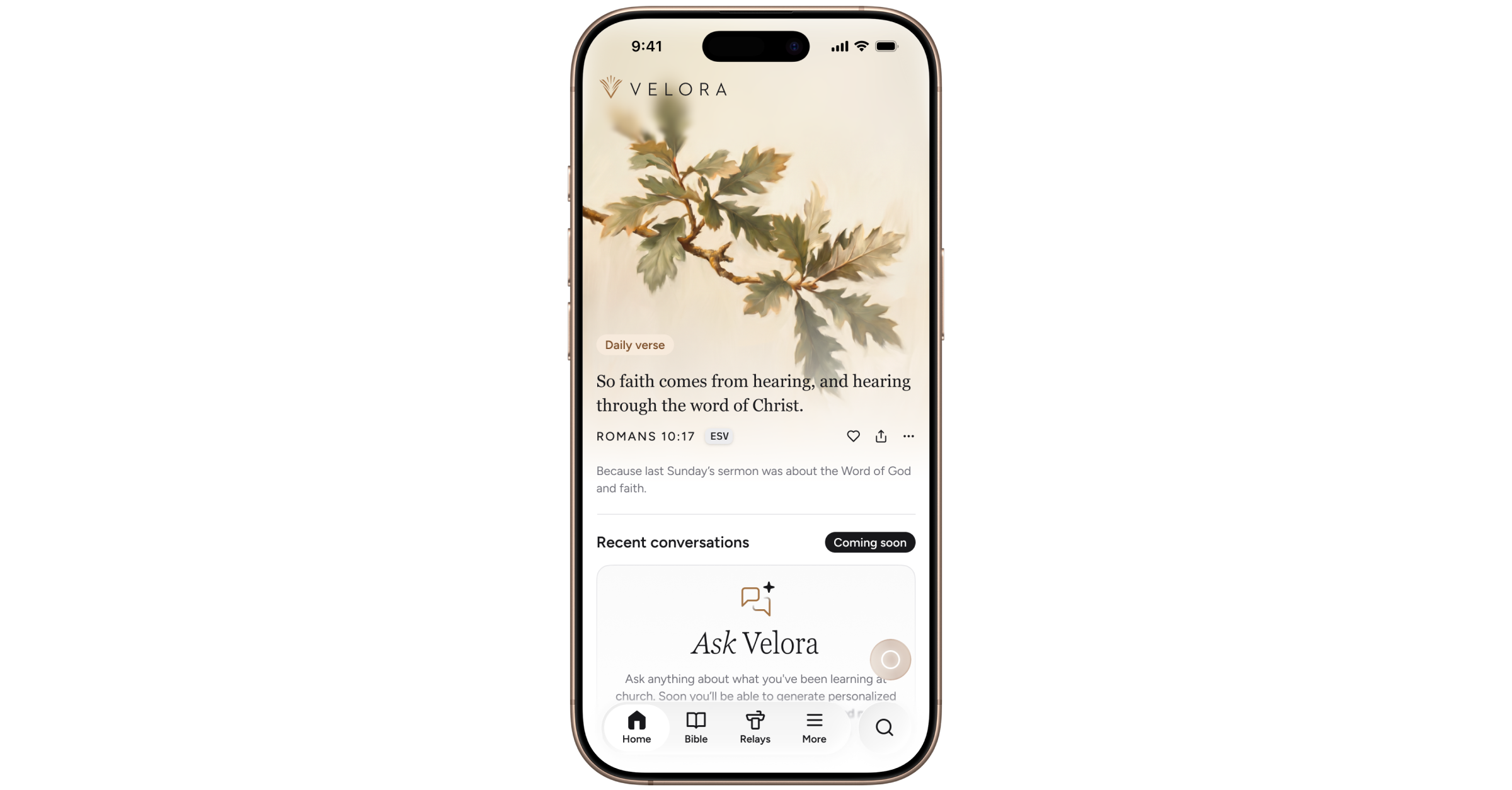
Velora now has a polished home screen—a place to open God’s Word and reflect on your church’s preaching. It displays a daily Bible verse paired with elegant artwork, and will soon be a home to your Ask Velora conversations, devotionals, and more.
What’s new
Each morning, a daily Bible verse appears on your home screen. Tap it to open the full passage in the Bible reader, share it with someone, or simply meditate on the verse before the day begins.
Coming soon: daily verses personalized to what your pastor has been preaching, so Sunday's teaching stays with you through the week.
Additional improvements
A new full-screen update experience to highlight what’s new in the app
Relay Version 2 improvements are being tested and gradually rolled out to all Private Beta users
Light theme and Bible text settings for pre-release
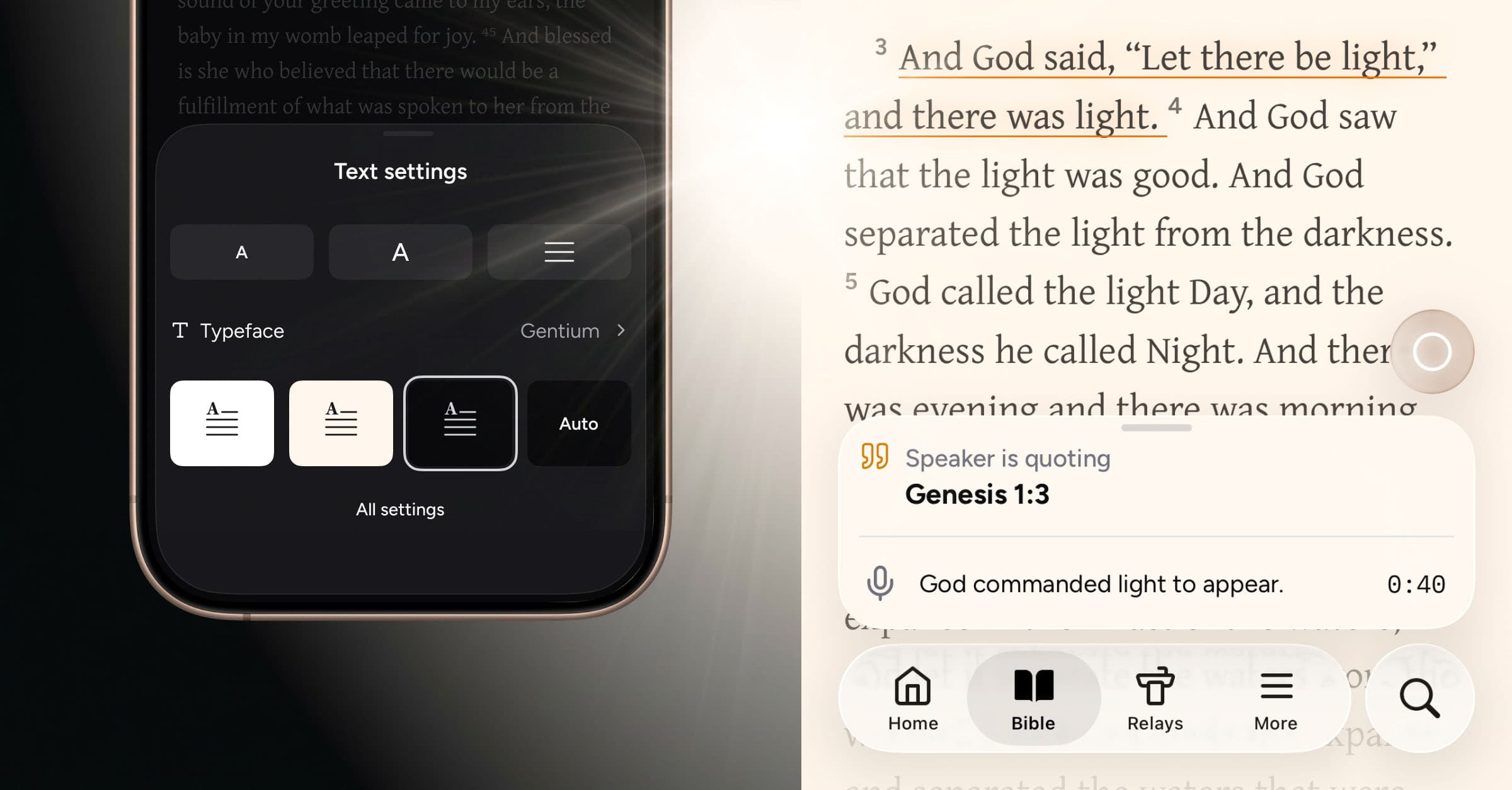
Let there be light! Velora now includes an option to enable light theme across the full experience—with an additional sepia option in the Bible reader (and additional reader options still to come).
What’s new
Light theme
While light theme is the standard default in most apps, we chose to start with dark theme for Velora. As an app meant to be used in church, we felt it was important that the interface feel unobtrusive and essentially fade into the background. We considered the simple, dignified beauty of a Bible bound in black leather, using touches of color sparingly in ribbons or headings on the page. Velora is designed as a dark-first experience with all of this in mind.
At the same time, a brighter interface offers distinct advantages, particularly for reading in well‑lit environments. As we’ve expanded Velora beyond the live Relay experience, our Private Beta members have begun using it in a wider range of contexts outside church. In light of this, it’s the perfect time to introduce a light theme.
In the end, the theme you choose comes down to individual preference, and we’re delighted to make the light option available today—across the entire app.
Bible reader text settings
Within the Bible reader, we are also introducing text settings for a more personalized, quality reading experience. You can now adjust text size, line height, and background color—as well as choose from a curated selection of typefaces:
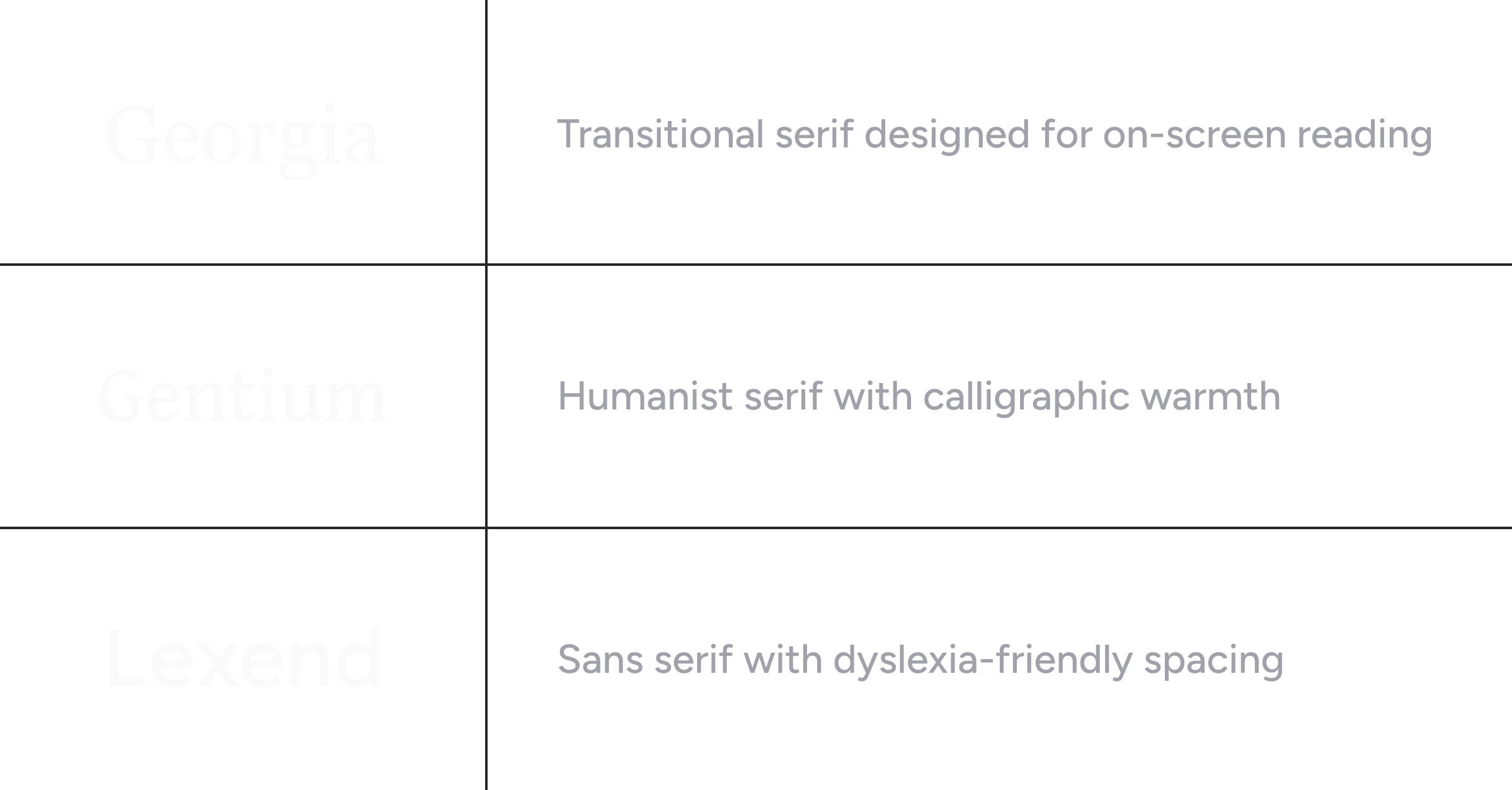
Georgia is our standard serif typeface, used for prominent Relay headings and to distinguish Scripture quotations from the rest of the interface typography.
Gentium is an exceptionally legible serif typeface with hand-drawn character. It was created by SIL Global, a faith-driven nonprofit dedicated to developing Bible translation and language resources for communities around the world.
Lexend is a sans serif typeface designed to lessen visual strain while reading. Originally created with dyslexia in mind, it has since gained broader appeal as a font that makes reading more comfortable for everyone.
We will continue to roll out additional options over time, aiming to apply Old World craftsmanship to the contemporary, digital display of God’s Word.
Relay passage illumination
When passages are identified during a real-time Relay session, they now illuminate in the Bible reader with an underline, colored based on the type of reference or suggestion. The chapter tab also glows, providing a subtle visual cue that links together the Relay transcription and timeline with the Bible text itself.
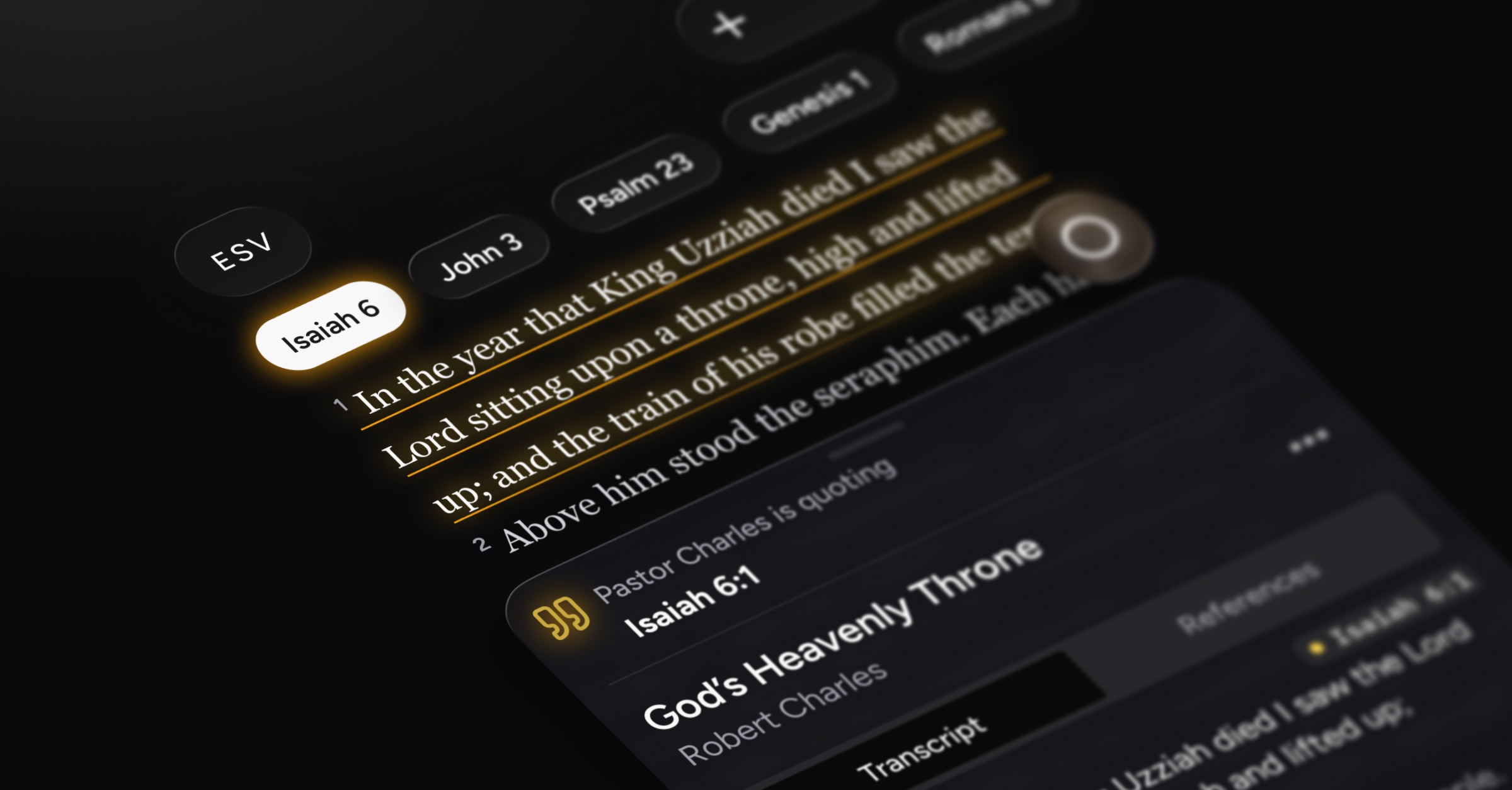
If you’d prefer, you can off turn Relay passage illumination in the Bible text settings.
Velora Journal improvement
Our online articles now include AI-powered audio, so you can listen to them hands‑free—whether you’re tackling the dishes or traveling to and from work.
Reliability improvements and bug fixes
Miscellaneous improvements to Bible text formatting
Fixed an issue on Android where users could not remove versions from their list of preferred Bible versions
Smoother scrolling and overall app performance
Sharing and exports for pre-release
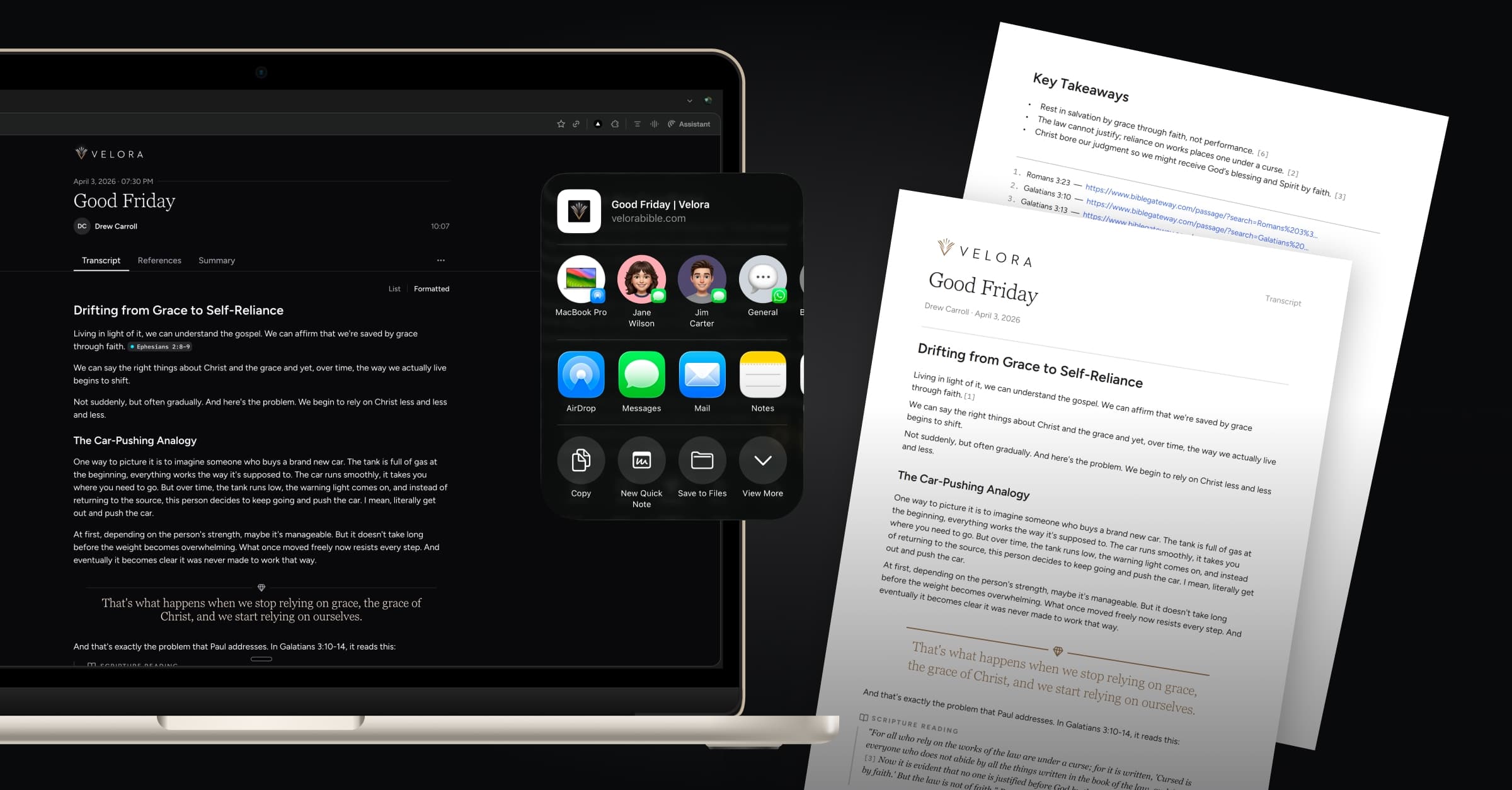
When you capture a powerful sermon with Relay, you can now easily pass it along to anyone—even if they don’t use Velora. Just tap Share to generate a public web link that shows the full transcript, reference timeline, and summary.
Planning to reflect on Sunday’s message in your small group or around the dinner table? From that public link, you can export the transcript, references, and summary as PDF files and print so everyone has a copy in front of them to follow along.
What’s new
Share Relay link
You can generate a shareable web page for any previously recorded Relay. This public page mirrors how the content appears in the Velora app and can be opened in any web browser on any device. Clicking on a reference will open that passage on BibleGateway.com.
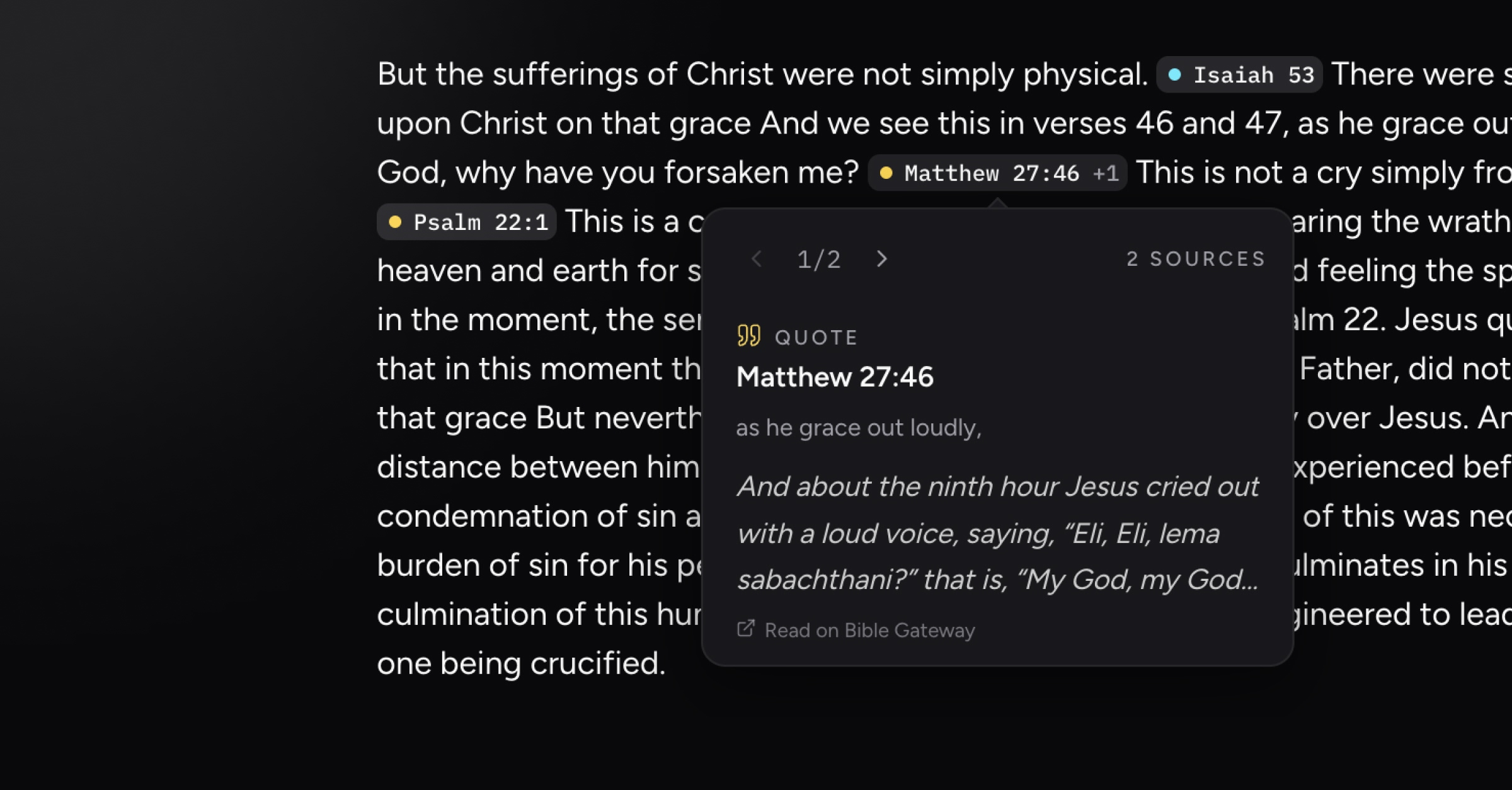
If you update the Relay’s title or change its speaker inside the app, those edits are automatically reflected on the public web page. You can also turn off sharing for a Relay and disable its public link at any time.
Export Relay as PDF or markdown
From the More menu on a Relay’s web page, you can now export the transcript, references, or summary as either a styled PDF or a markdown file. Choose the PDF format when you want to print the Relay or include it as an attachment in an email.
The PDF maintains Velora’s worship-centered layout, and the inline references turn into interactive citations that take you to a footnote section at the end, where every reference is listed with active BibleGateway links.
Performance enhancements and bug fixes
Improvements to formatted transcript generation, resulting in more logical paragraph and heading structures
Fixed a bug where speaker name was occasionally not displaying on active Relays
Fixed miscellaneous issues related to post-Relay uploading and processing
Fixed an issue on Android where consolidated reference timeline items would open the reference detail screen rather than expanding