
↵Open
Velora changelog
Relay audio playback
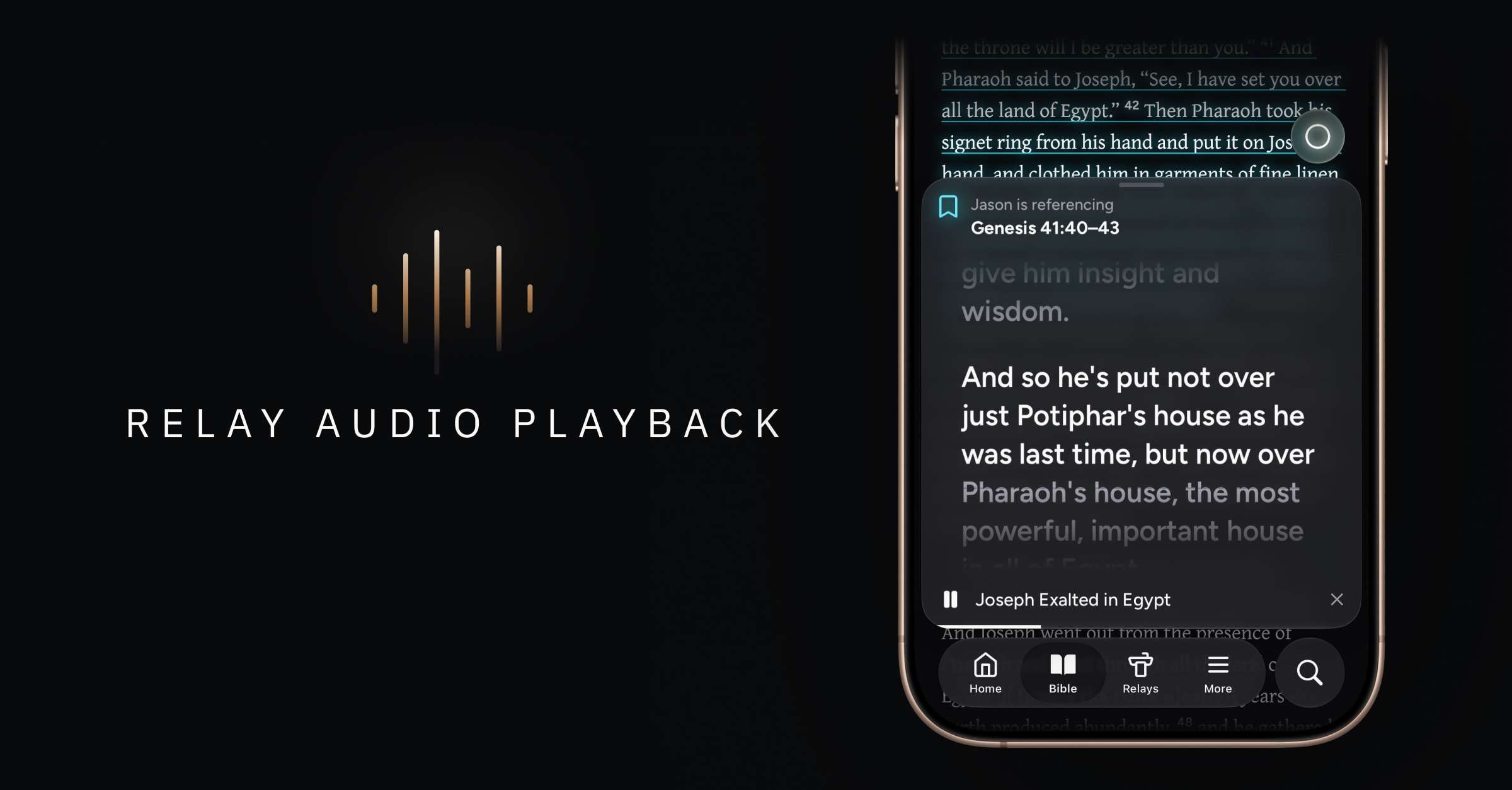
Replay Sunday’s message in your pastor’s own voice. Relay now includes audio playback, so you can revisit the teaching you’ve captured in Velora—with the same reference highlighting you use in real time.
What’s new
Listen again with Relay audio playback
Your saved relays now include a play button in their header. Tap it to open the new audio player and listen to the recording while the finalized transcript follows along. Every relay's audio is saved to the cloud, so you can stream it anytime you're online without downloading anything.
You can slide the player down to minimize it, or slide it halfway up to see the transcript next to the Bible reader. References are highlighted just as they are in real time. Tap one to open that passage in the Bible reader.
Stream from the cloud, or listen offline
You can stream relay audio whenever you’re online, with no space used on your device—and you can also download it and play it anywhere, even without a connection.
Your recordings are securely stored in the cloud, so they're always there when you want to replay them. Each relay shows whether its audio is downloaded to your device or in the cloud.
The new relay audio settings screen helps you manage downloads. You can:
See how much space downloaded relay audio is using
Turn on automatic optimization, which keeps only your most recent relay audio on your device
Remove downloaded audio whenever you like
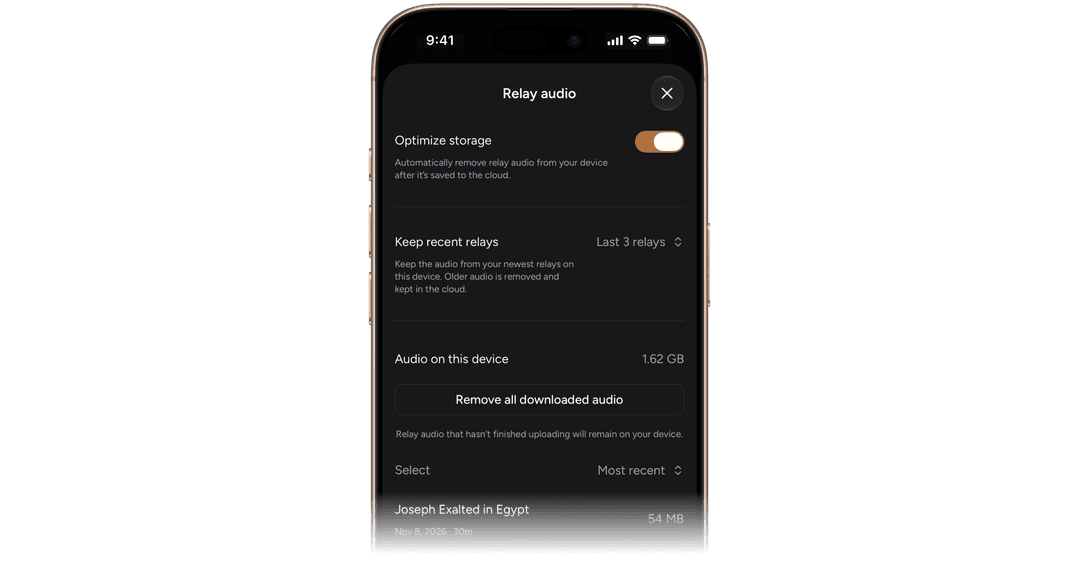
Removing downloaded audio never deletes your recording. It stays securely stored in the cloud, so you can still stream it or download it again for offline listening.
iOS 27 optimizations and miscellaneous improvements
Liquid Glass and other UI optimizations for iOS 27
New UI indicators to easily see which of your relays are published to a web link