
Velora changelog
Inline references and reference detail screen for pre-release
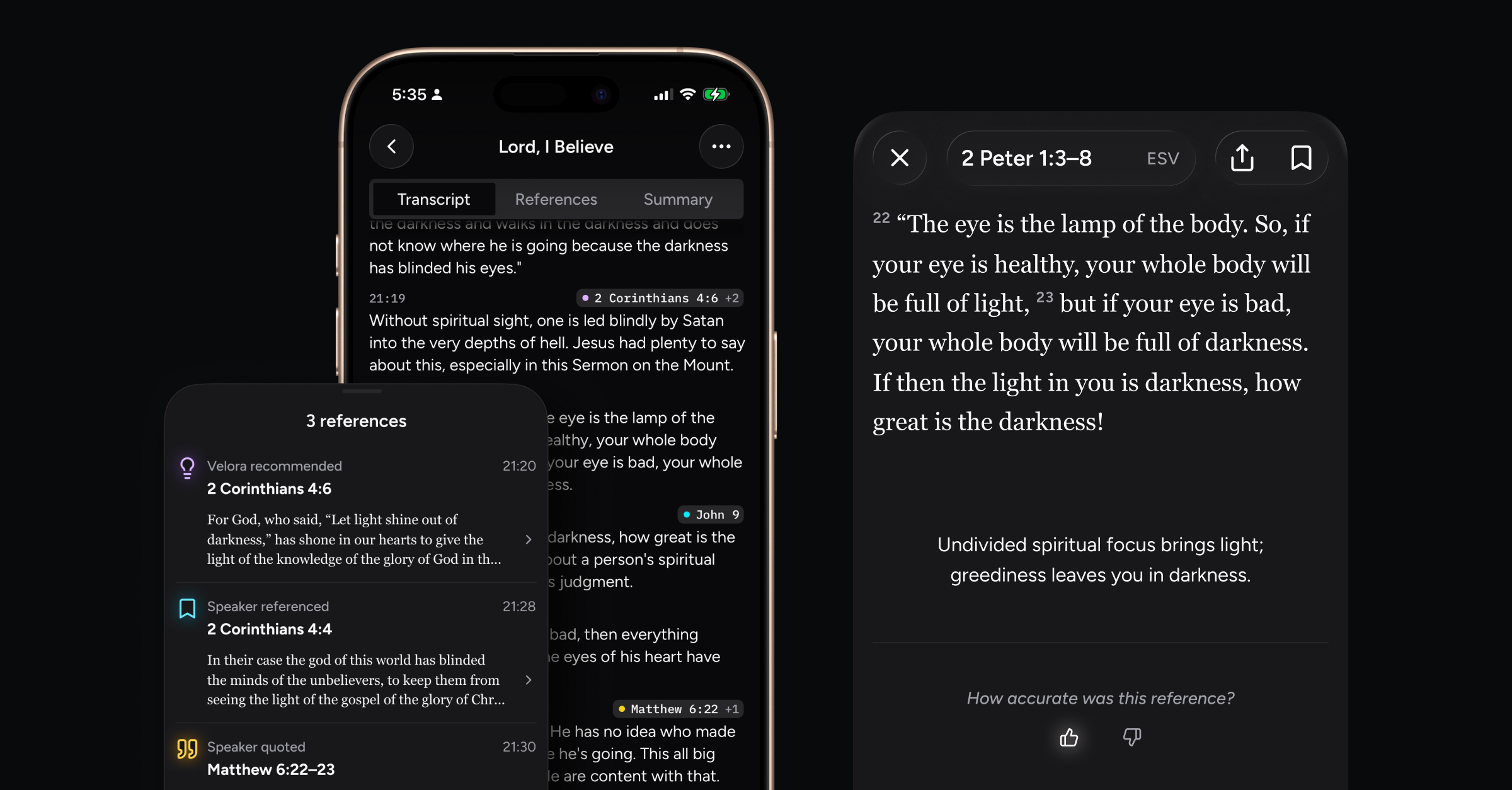
Relay transcripts now display inline Bible references! Tapping a reference opens a detail view that displays the passage in your selected translation, a context line explaining why Velora identified it with this part of the message, sharing, and feedback buttons.
What’s new
View Bible references throughout the transcript in real-time and after the Relay
As you Relay during a sermon, Bible references now populate the transcript view in real-time, using our color system to indicate the type of reference (direct reference, turn-to request, quote, or smart suggestion).
References will appear above transcript parts or “utterances,” allowing you to easily see where they fit without interrupting the readability of the message.
Open a detail view of each reference
When you tap on a reference (either inline or from the timeline view), a new detail screen opens revealing the passage itself in your selected translation. This offers you an “intermediate step” for quickly viewing the passage before you might choose to open it in the Bible reader (coming soon).
This screen also displays an AI-generated “context line,” intended to either summarize the passage or offer context for why it was identified with a certain part of the message. You can offer feedback on how accurate the reference was to the message by tapping the thumbs up or thumbs down buttons, helping us to improve the accuracy of our Relay engine over time!
You can copy the passage or tap Share to message or email it to a friend. The bookmark button will allow you to quickly save the passage for reading later.
Performance enhancements and bug fixes
Transcription parts and reference timeline post-processing for accuracy
Transcriber optimizations for better real-time accuracy
Graceful network issue handling
Miscellaneous bug fixes